Put Rally on your phone.
Add Rally to your Home Screen for one-tap access, a cleaner app-style view, and notifications that keep game plans from sneaking past you.
 RallyBoston Tennis
 New Rally messageAlex: Court 2 works for me 🎾
Install Rally on iPhone with Safari
Safari is the simplest route. Here’s the whole thing:
- 1
Open Rally in Safari and sign in.
- 2
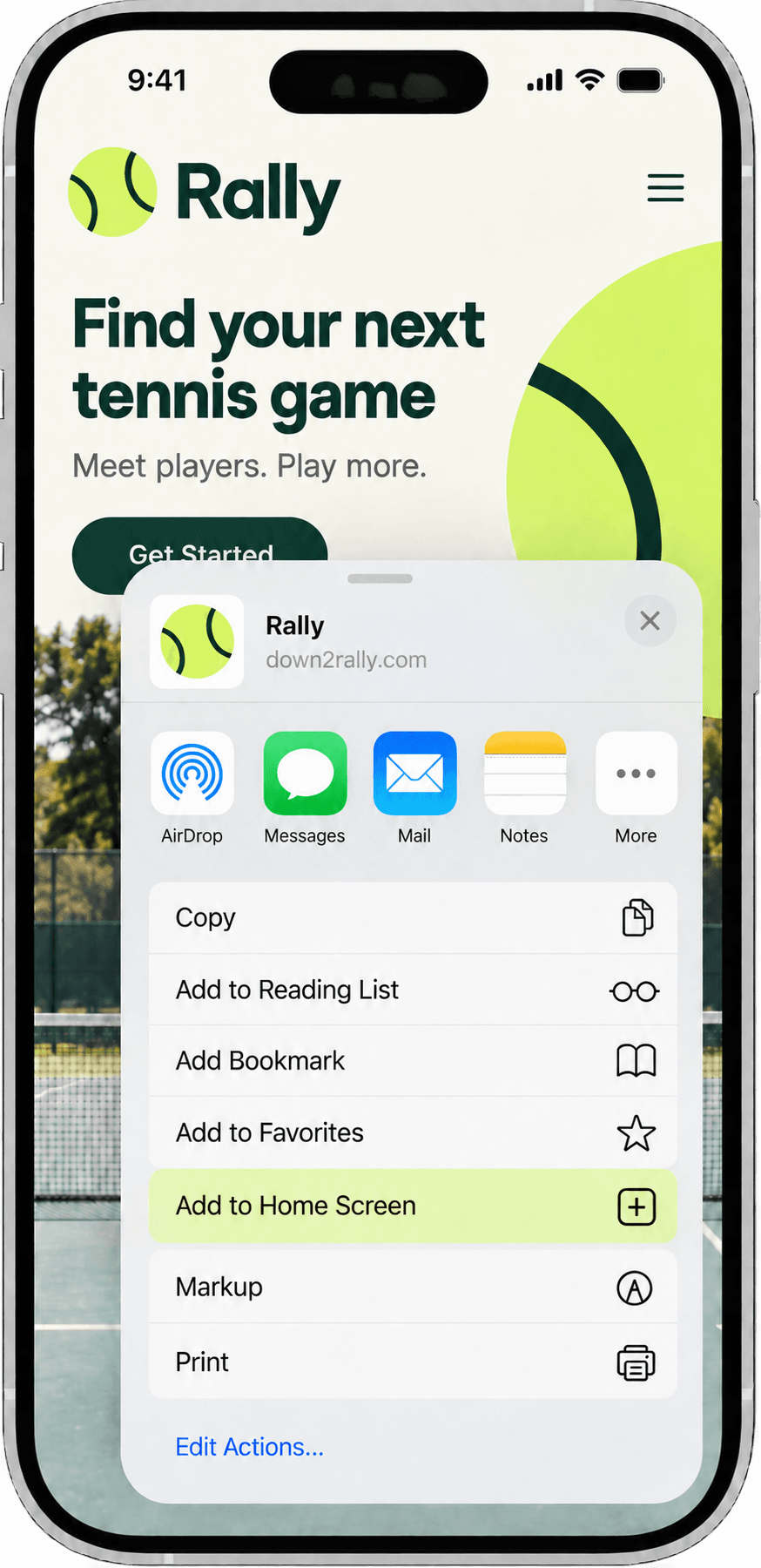
Tap the Share button. On newer Safari layouts, you may first tap the More button, then Share.
- 3
Scroll down and tap Add to Home Screen. If you don’t see it, tap Edit Actions and add it.
- 4
Leave Open as Web App turned on, then tap Add.
- 5
Go to your Home Screen and open Rally from its new icon.
Using Chrome on iPhone instead?
Open Rally in Chrome, tap the Share button, choose Add to Home Screen, then tap Add. After that, always open Rally from the new Home Screen icon when you want notifications.
Install Rally on Android with Chrome
Chrome does most of the work for you:
- 1
Open Rally in Chrome and sign in.
- 2
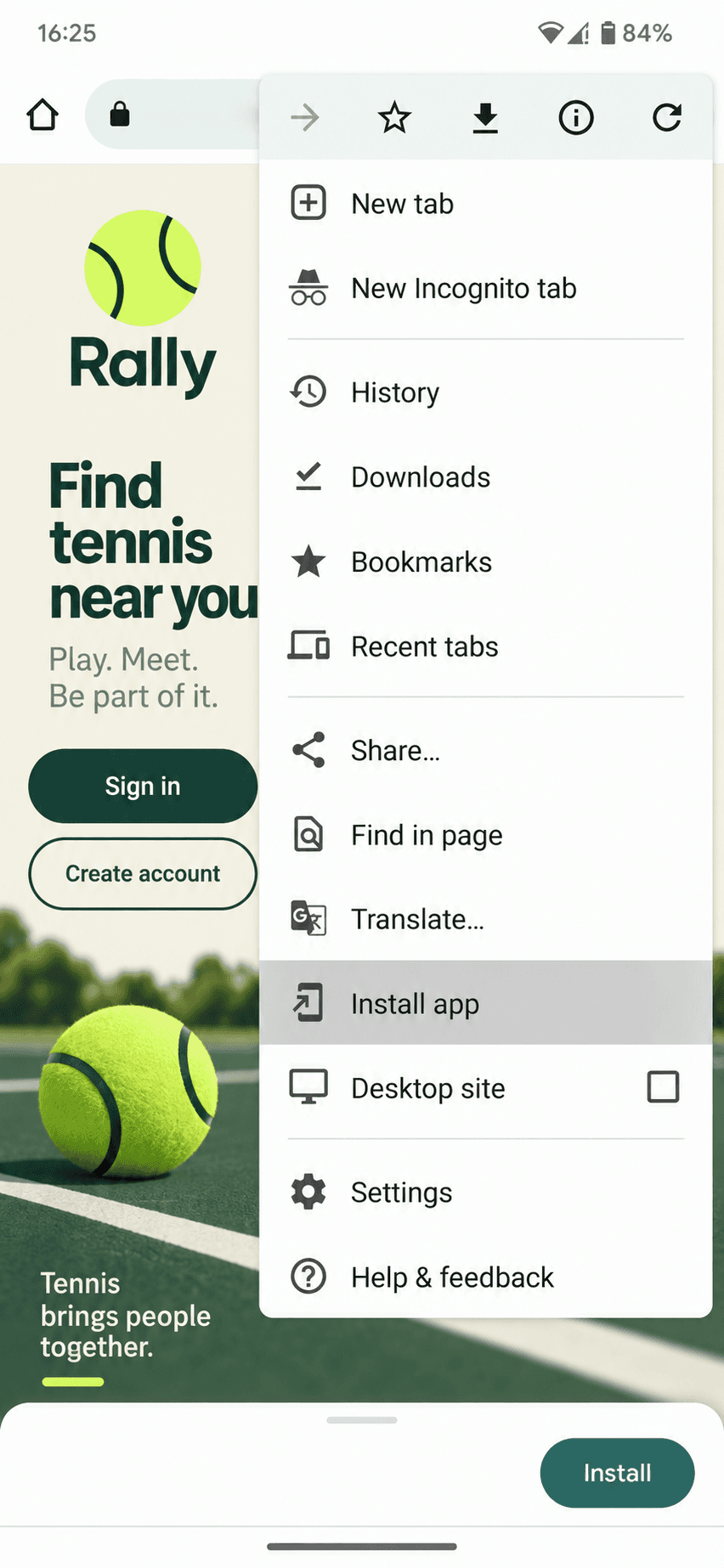
Tap the three-dot menu beside the address bar.
- 3
Tap Install app. Depending on your Chrome version, it may appear under Install and create shortcut.
- 4
Tap Install. Rally will show up with your other apps and on your Home Screen.
Don’t see Install app? Update Chrome, reload Rally, and check the menu again.
Turn on Rally notifications
This part happens inside Rally, and the switch only applies to the device you’re holding.
- Open the installed Rally app
On iPhone, make sure you use the Home Screen icon—not the browser tab.
- Go to Profile
Scroll to Notification preferences.
- Tap Enable
Under Push notifications on this device, tap Enable, then Allow when your phone asks.
A few things people usually ask
Is Rally in the App Store or Google Play?
Not right now. Rally is a web app, so you install it straight from Safari or Chrome. You still get a Rally icon and an app-style window, without an app-store download.
Do I have to install Rally to use it?
Nope. Rally works in your browser. Installing it just makes Rally faster to reach and is required for push notifications on iPhone and iPad.
Why don’t I see the notification option on my iPhone?
First add Rally to your Home Screen, then open Rally from the new icon—not from a Safari or Chrome tab. Sign in and open Profile to enable notifications. iPhone and iPad web push requires iOS or iPadOS 16.4 or later.
I tapped Don’t Allow. Can I fix that?
Yes. On iPhone, open Settings, Notifications, then Rally. On Android, open Settings, Notifications, App notifications, then Rally or Chrome. Menu names can vary a little by phone.